
Did you switch apps for a moment? Then did your Ix7 app start over when you came back? That is very annoying. Android phones save power by closing apps in the background. They do this without a warning. You may lose your game progress. You may also miss alerts. The good news is that you can fix it. A few small settings can make a big change. This guide shows which Android settings can close your Ix7 app. It covers battery rules, memory rules, and clear steps. The steps get the most detail. Read on to keep your app open and stable. Let us begin right now, step by step.
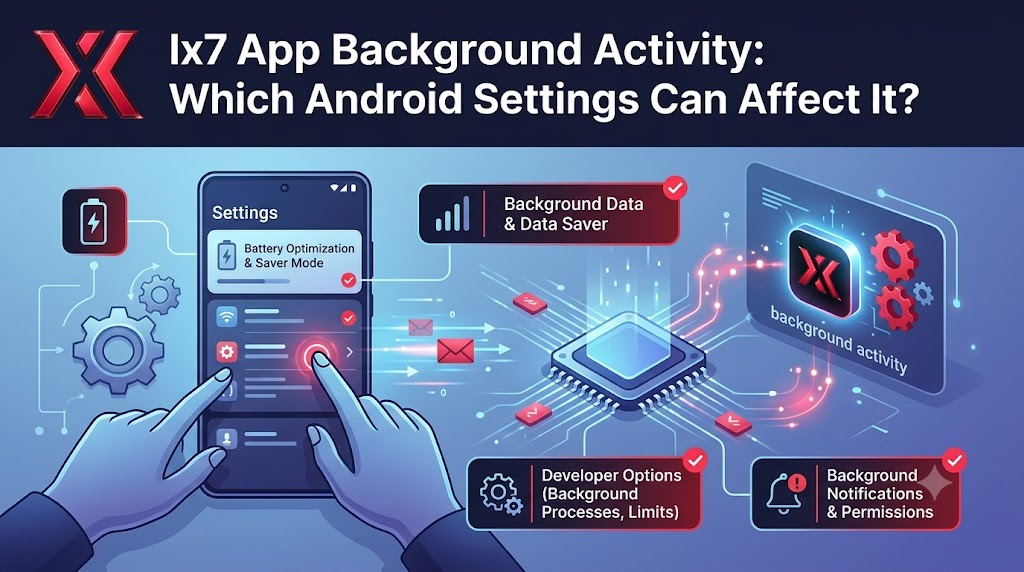
Which Android Battery Rules Restrict the Ix7 App?
Android has smart tools to save power. They limit what apps can do in the background. Knowing them helps you stop sudden closures.
- Adaptive Battery: This tool tracks how often you open an app. If you skip it for a few hours, Android limits its memory use.
- Battery Saver Profiles: Most phones set apps to “Optimized” or “Restricted.” These modes can cut the internet link when you lock the screen.
- Doze Mode: When your phone sits still, Android pauses network tasks. This can delay updates for the Ix7 app.
- Brand Task Killers: Some phone brands, like MIUI, ColorOS, and One UI, close apps more often. They do it with no warning.
How Do Different Android Settings Change App Performance?
Each setting trades battery life for speed. Use this table to see how they work.
| Android Setting | Default State | What It Can Cause | Best Change |
| Battery Optimization | Optimized or Restricted | Drops and late alerts | Set to Unrestricted |
| Background Data | Limited on mobile data | Blocks background updates | Allow background data |
| Adaptive Battery | On for all apps | Ends long sessions | Turn off or add an exception |
| Unused App Permissions | Auto-remove is on | Resets rights after weeks idle | Turn off the auto-remove switch |
Change one setting at a time. Test the app after each change. This shows you which setting was the cause.
How Can You Fix Background Closures on the Ix7 App Step by Step?
Does your phone keep closing the app when you switch tabs? Follow these four steps in order. Go slow. Each step has a quick check, so you know it worked.
Open the app settings
Unlock the smartphone. Go to Settings. Click on Apps. Scroll down and click the Ix7 app. If you have a lengthy list, make use of the search box at the top. Beware! Don’t click Uninstall or Clear Data by mistake.
Check: You get the App info screen with Storage, Data, and Battery.
Change the battery setting
Tap Battery. You may see Battery Saver or App Battery Usage instead. Find the mode that says Optimized or Restricted. Switch it to Unrestricted. On some phones, this is called No Restrictions. Read the screen with care. Brands use different names.
Check: A mark sits next to Unrestricted.
Allow background data
Go back to the App Info page. Tap Mobile Data. Switch on Allow Background Data. Also switch on Allow Data Usage While Data Saver Is On. This lets the app keep its link when the screen is off. It may use a little more data.
Check: Both switches are on.
Lock the app in recent apps
Open your recent apps screen. Find the card for the Ix7 app. Tap the app icon at the top of the card. Tap Lock This App. This tells Android not to clear it during a memory clean-up.
Check: A small padlock shows on the card.
These steps help your Ix7 app stay open longer. Repeat them after a big system update. Updates can reset your choices.
What Memory Settings Help Control Ix7 App Background Tasks?
Battery menus are only part of the story. Memory settings matter too.
- Virtual RAM: Some phones can use storage as extra memory. This can give the Ix7 app a bit more room. It is slower than real RAM.
- Skip Extreme Saver Modes: Super Battery Saver mode limits most background tasks. Turn it off while you play.
- Use a Whitelist: If you use a cleaner app, add this app to its safe list. Cleaners often close apps you want to keep.
- Check Process Limits: Developer Options has a setting called Background Process Limit. Keep it on Standard Limit. Only change this if you know what you are doing.
Keep in mind that more freedom for one app means less battery for you. Pick what fits your day.
How Do You Find the Cause of Background Problems in the Ix7 App?
Some problems come from your phone. Others come from the network. Match your symptom in the table to find the best fix.
| Problem | Likely Cause | Best Fix |
| App restarts on return | Memory clean-up or Optimized mode | Set Unrestricted and lock the app |
| No alerts | Background data is off | Allow background data and check notifications |
| Drops when screen locks | Sleep mode cuts the link | Turn off Wi-Fi power saving |
| Slow sync on return | Doze Mode paused tasks | Allow a battery exemption |
If none of these help, check your signal. A weak link can look like a settings problem.
Conclusion and Action Steps
You can control how Android treats your apps. Set battery use to Unrestricted. Allow background data. Lock the app in recent apps. Check your memory settings. These steps can cut restarts and missed alerts for your Ix7 app. Keep your phone updated. Take breaks and manage your screen time.
For safe guides about ix7gameapkin , use sources you can trust. Check each file before you install it.
For authentic app updates, verified installer links, and safe usage guides, visit Game APK India.
Frequently Asked Questions
1. Why does my phone close the Ix7 app when I switch apps?
Your phone wants to save power and memory. So it may close apps in the background. Battery rules and memory rules cause most closures.
2. Will Unrestricted mode drain my battery when I use the Ix7 app?
It can use a bit more battery. The app stays active in the background. If battery life matters more, keep the setting on Optimized and accept some restarts.
3. How do I stop Android from removing app permissions?
Open Settings and tap Apps. Choose the app. Find the setting that pauses app activity if unused. Switch it off.
4. Why do alerts come late when my screen is off?
Data Saver may block background use. Doze Mode may also pause sync. Allow background data and add a battery exemption.
5. Does locking the app in recent apps stop it from closing?
It often helps. It tells the memory cleaner to skip the app. It does not work on every phone, so test it.